by pankaj | Nov 5, 2026 | Blog, Latest Post
Running an online business often means juggling five tools, five logins, and five monthly bills. Podia wants to put an end to that. It’s an all-in-one platform where you can build a website, sell courses, send emails, and even grow a community from a single dashboard. In this Podia review, I’ll walk you through the features, pricing, pros, and cons so you can decide if it’s right for you.
What Is Podia?
Podia is built for creators: educators, coaches, freelancers, entrepreneurs,s and content creators. Instead of stitching together separate tools for your site, your products, ts and your emails, you get it all under one roof.
The goal is simple: make running an online business feel less like a tech headache. Honestly, that’s a big reason this Podia review is worth your time, because so many creators lose hours to tools that don’t talk to each other.
Key Features of Podia
Let’s get into what you actually get. Throughout this Podia review, I’ll keep things practical. Here are the main Podia features worth knowing about.
Online Course Creation
Podia online courses are simple to put together. You can add video lessons, quizzes, text, and downloadable resources, then organise everything into sections and lessons. It’s tidy for you and easy for students to follow.
Digital Product Selling
Want to sell digital products online? Podia makes it easy. Offer ebooks, templates, guides, PDFs, and other downloads, create product pages,s and keep track of customer purchases without any fuss.
Website and Blog Builder
The Podia website builder lets you create a professional site without writing a line of code. Build landing pages, publish blog posts, and connect your own custom domain so everything looks like your brand.
Email Marketing Tools
Podia email marketing lets you send newsletters and promotional emails, set up automated campaigns, and manage and segment your subscribers. Staying in touch with your audience becomes a lot less stressful.
Community and Coaching
Create free or paid communities, offer one-to-one coaching or group programmes, and sell access to online and in-person events. It’s a nice way to build real relationships with your customers.
Podia Pricing: Which Plan Should You Choose?
Podia pricing comes down to three main plans. Here’s the quick breakdown:
| Plan |
Monthly Price |
Key Details |
| Mover |
$49/month |
Website, courses, digital products, and community |
| Shaker |
$99/month |
Everything in Mover plus affiliates and upsells |
| Earthquaker |
$179/month |
Expanded limits and additional business features |
Annual billing brings a discount. The Mover plan has a 5% transaction fee, while Shaker and Earthquaker have 0%. There’s also a 14-day free trial, so you can test things out before paying anything. Since I’m sharing these figures in this Podia review, please check the official pricing page for the latest terms.
Pros and Cons of Podia
No tool is perfect, so here’s the honest side of this Podia review:
| Pros |
Cons |
| All-in-one creator platform |
Paid plans can be expensive |
| No coding required |
Limited advanced customisation |
| Built-in email marketing |
Email subscriber limits apply |
| Online courses and digital downloads |
Transaction fee on Mover |
| Website and community tools |
Not ideal for every large-scale business |
Just remember that Podia email marketing comes with subscriber limits, and the Mover transaction fee can add up as your sales grow.
Who Should Use Podia?
So, who’s this for? Based on this Podia review, the platform suits:
- Course creators who want to launch Podia online courses without a complicated setup.
- Coaches and consultants who want to sell sessions and programmes.
- Freelancers who want to sell digital products online.
- Educators and trainers looking for one place to teach.
- Small businesses using the Podia website builder to grow an online audience.
Podia Alternatives
Not sold after this Podia review? That’s totally fine. These Podia alternatives are worth comparing:
- Teachable: online course creation.
- Thinkific: online learning and course management.
- Kajabi: an all-in-one digital business platform.
- Gumroad: simple digital product selling.
- Patreon: creator memberships and subscriptions.
Final Verdict
So, where does this Podia platform review land? Podia’s biggest strength is convenience: all the Podia features you need sit in one place, so you spend less time juggling tools and more time creating. The price and transaction fees are the main things to weigh.
If you want to keep your business simple, Podia is a solid pick. If you need heavy customisation or run a very large operation, you may want to look elsewhere. My suggestion? Start with the free trial and see how it feels.
Frequently Asked Questions
- What is Podia used for?
Building a website, selling courses and digital products, sending emails, and running a community.
- How much does Podia cost per month?
Plans run $49 (Mover), $99 (Shaker), and $179 (Earthquaker). As covered in this Podia review, check the official site for current prices.
- Is Podia good for beginners?
Yes. There’s no coding involved, and in this Podia platform review, ease of use is a clear win.
- Can you sell digital products on Podia?
Absolutely. Ebooks, templates, guides,s and PDFs all work.
- Does Podia offer a free trial?
Yes, a 14-day free trial.
- Is Podia good for creating online courses?
Yes. You can add video lessons, quizzes, es and downloads, and organise them into sections.
- What are the best alternatives to Podia?
Teachable, Thinkific, Kajabi, Gumroad, and Patreon.
by pankaj | Nov 4, 2026 | Blog, Latest Post
Maybe you’ve got a small business, a freelance gig, a blog, or just a side project you’re proud of. Sooner or later someone says, “You should have a website.” And then you stare at a blank screen wondering how people even do that without learning to code.
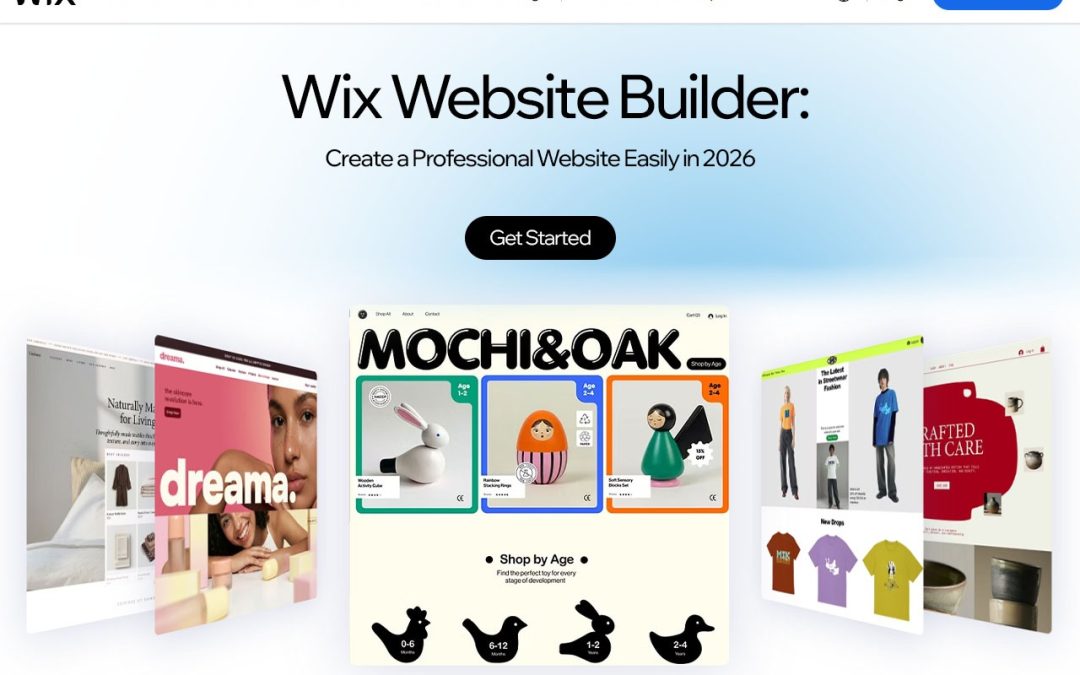
Turns out you don’t need to. Wix is a website builder that lets you start with a template, move things around with a visual editor, and even get some help from AI if you’d rather not begin from zero. Portfolio, online shop, business page- whatever you’re after, you can build it there.
What Is Wix?
Wix is a cloud-based website builder, so everything happens in your browser. No software to download, no programming to learn. You get a drag-and-drop editor, a bunch of professionally designed templates, and tools to manage your content. You can start with a template or try the AI-assisted option. After that, it’s your call. Change the layout, drop in your own photos, publish pages, and keep tweaking until it looks right to you.
It’s not just a design tool either. Wix also covers business management, marketing, blogging, SEO, and online selling. So instead of stitching together four or five different services, you can run most of it from one place.
Key Features of Wix Website Builder
Here are the simple key features of Wix
- Drag-and-Drop Editor
This is what most people notice first. You can drop text, images, buttons, and videos onto a page and shift them around until it feels right. No code involved. You can edit each section, rearrange the layout, and organise your content the way you want. If you’re new to all this, it makes building something that looks like your brand a lot less scary.
- AI Website Creation
The hardest bit of building a site is often just starting. What pages do you need? What should it look like? Wix’s AI tools can give you a rough draft based on what you tell them about your project. You share a few details, look over the layouts and content it suggests, then change whatever doesn’t fit. It’s a starting point, and you still get the final say.
- Customisable Templates
First impressions happen fast online, so design matters. Wix has templates for businesses, photography portfolios, blogs, restaurants, online stores, and plenty more. Change the colours, fonts, images and sections until it feels like yours. It’s much quicker than designing every page from scratch.
- Built-In SEO Tools
Getting your site live is only half the story. You also want people to actually find it through search. Wix lets you manage page titles, meta descriptions, URLs, and other basic SEO settings, and it guides you through some of the setup. That’s useful, but let’s be honest about what it can do.
Whether you rank well still comes down to how good your content is, how your site performs, how crowded your niche is, and what SEO strategy you follow. The tools help you get organised. They won’t rank you on their own.
What Can You Build with Wix?
One of the useful aspects of Wix is its flexibility across different website categories.
- Business Websites
Small businesses, startups, agencies and independent professionals can put up a site that explains what they do, shares their details and gives customers an easy way to get in touch.
- Online Stores
Want to sell things online? Wix’s eCommerce features let you set up a shop, list your products, manage orders, and accept payments through supported providers.
- Blogs and Personal Sites
If you like writing, Wix has blogging tools to publish posts and keep your content organised. It gives your ideas a proper home.
- Portfolio Sites
Photographers, designers, artists and freelancers can build a portfolio that shows off their best work and helps new clients find them.
How to Create a Website with Wix
It’s pretty simple to get going. Here’s how:
- Head to the Wix website.
- Sign up for an account.
- Choose what you’re building: a business site, blog, portfolio, or online store.
- Pick a template, or try the AI-assisted route.
- Make it yours with your logo, images, text, and colours.
- Add the pages you’ll need, like Home, About, Services, Contact, and Blog.
- Set up your SEO with proper page titles and descriptions.
- Preview the site on different devices, then hit publish.
After it’s live, you can keep working on it. Update the design, add fresh content, and improve things as you go.
Wix Pricing: What to Know
Wix has a few different subscription plans, depending on what kind of site you’re building and what you need from it. There are options for simple sites, professional ones, and business or online store projects. What you get changes from plan to plan. Some include extras like connecting a custom domain, more storage, payment acceptance and business tools.
Before you choose, think about what the site is for, how much traffic you expect, how much storage you’ll need and whether you plan to sell anything.Plans and prices can change, so check the official Wix website for the latest before you sign up.
Why Choose Wix?
Which builder is right for you depends on your goals, your budget and how comfortable you are with tech. Wix is worth considering because design, customisation and business tools all sit in one place.
What it has going for it:
- An editor that’s easy for beginners
- Ready-made templates for lots of industries
- AI-assisted site creation
- Built-in SEO and marketing tools
- Options to build an online store
- Tools to manage and customise your site
- Support for blogs, portfolios and business sites
If you’re trying to start or grow your online presence, it’s a solid option to look at.
Final Thoughts
You don’t need great technical skills or a big budget to get a website online. With templates, a visual editor, AI tools, and business features, Wix is a friendly place to start for lots of different projects. Whether you’re a freelancer, a business owner, a blogger, or an entrepreneur, have a look at the tools and plans and see if they fit what you need. Head over to Wix to explore the features and start building your online presence.
FAQs
- What is Wix and how does it work?
Wix is a website-building platform that allows users to create websites using ready-made templates, drag-and-drop editing tools, and AI-powered features without requiring advanced coding skills.
- Is Wix free to use?
Wix offers a free plan with basic website-building features. However, connecting a custom domain and accessing additional features may require a paid subscription.
- Is Wix good for beginners?
Yes, Wix is beginner-friendly. Its visual editor, customisable templates,s and guided website creation tools make it easier for beginners to build websites.
- Can I create an online store with Wix?
Yes, Wix provides eCommerce features that allow users to display products, manage inventory, process orders, and accept payments through supported payment providers.
- Does Wix offer AI website-building tools?
Yes, Wix offers AI-powered website creation tools that help users generate website designs and content based on their business needs and preferences.

by pankaj | Nov 4, 2026 | Airline, Blog, international, Latest Post
You know that moment when you’ve got fifteen tabs open, three airlines to compare, and a hotel you’re not sure about? Yeah. Planning a trip is fun right up until the booking part starts. Finding a decent fare and a place to sleep can take way longer than it should.
Airpaz is one way to cut that down. It’s an online booking platform where you can look up flights and hotels for destinations all over the world, from one place. Family holiday, work trip, a solo escape you’ve been putting off. It covers all of those.
What Is Airpaz?
Airpaz is an online travel agency that started in 2011. You can use its website or mobile platform to book flights, reserve hotels, and handle a few other travel-related things. The main idea is simple. It puts flights from different airlines side by side, so you can look at routes and fares without visiting each airline’s site separately. Hotels are there too, which means you can sort out where you’re flying and where you’re staying in one sitting. It also leans international. If you’re looking at destinations outside your own country, you’re not stuck jumping between a bunch of different websites to piece a trip together.
Key Features of Airpaz
Flight Booking from Multiple Airlines
The flight is usually the first thing you lock in, so it makes sense to start there. On Airpaz, you can search across different airlines and routes at the same time. Type in where you’re leaving from, where you’re going, and your dates. You’ll see schedules, prices, and booking conditions for each option, and you can pick whichever one fits your budget and plans. It works for domestic routes and international ones.
Worldwide Hotel Booking
Getting there is only half of it. Where you end up sleeping matters just as much. Airpaz lets you book hotels for destinations around the world, so you don’t need a separate site for that.
Search by destination, dates, and number of guests. Then you can look at room types, facilities, and prices before you commit to anything. Some people want the cheapest bed in town, some want a bit more comfort, and you can compare a few properties to see what suits you.
Payment Options
Paying for international bookings can get messy with currencies and different payment rules. Airpaz supports several payment methods, and which ones you see depends on where you are and what you’re booking. That can include cards, digital wallets,s and some local payment methods. At checkout, look at what’s offered and double-check the final amount before you pay.
How to Book Flights on Airpaz
It’s not complicated. Here’s the usual flow:
- Open the Airpaz website in your browser.
- Enter your departure city, destination, and travel dates.
- Tell it how many adults, children, or infants are travelling.
- Go through the flights it shows you. Check airlines, departure times, prices, and journey details.
- Pick the one that works for your schedule and budget.
- Fill in the passenger details. Take your time here, because mistakes are annoying to fix later.
- Look over the booking summary, especially baggage allowance and any extra charges.
- Choose a payment method and finish checkout.
When the payment goes through, open your confirmation and e-ticket and make sure the names and flight details are right.
Tips to Find Cheaper Flights on Airpaz
The lowest price on the screen isn’t always the cheapest trip. A few habits help:
- Search early. Holidays and peak seasons fill up fast, and prices tend to climb.
- Try nearby dates. If you can move your trip by a day or two, you might see a better fare.
- Check other airports. Some cities have more than one, and the difference can be real.
- Look for promotions. Check for any discounts running before you confirm.
- Count the baggage. A cheap ticket without a checked bag can end up costing more than a pricier one that includes it.
- Look at the final price. Taxes and service fees can change the total, so compare what you’d actually pay.
None of this is complicated, but it’s the stuff people skip when they’re in a hurry.
Why Use Airpaz for Your Next Trip?
Mostly, it’s convenience. Instead of hopping between websites, you can look at flights and hotels in the same place. Here’s what it offers:
- Flights and hotels for destinations in different regions
- Flights from multiple airlines, so you can compare schedules
- Hotel search alongside your flight planning
- Booking through the website or the mobile platform
- A range of payment methods, depending on your location
- Customer support if you get stuck on something booking-related
Your experience will still depend on the airline, the hotel, the destination, and the conditions attached to your booking. So read the details before you pay. It sounds obvious, but it matters.
What to Check Before You Confirm
Take a few minutes before you hit pay. It can save you a lot of hassle. Make sure the names on the booking match the ID you’ll travel with. Check the flight times, airports, baggage allowance, and any transit requirements.
For hotels, read the check-in and check-out times, the cancellation policy, and what’s actually included. Also check the airline’s rules on changes, cancellations, and refunds. They vary depending on the ticket type and the provider, so don’t assume.
Final Thoughts: Is Airpaz Worth a Look?
Sorting out flights and a place to stay doesn’t have to be the worst part of your trip. Airpaz gives you a single place to compare options for destinations around the world, and that alone can save you some time and a few headaches. Whether you’re planning a quick break or a long international trip, the same rule applies: compare your options and read the conditions before you book. If you’re ready to start, head over to Airpaz and see what’s out there for your next trip.
Frequently Asked Questions (FAQs)
- What is Airpaz used for?
It’s an online travel booking platform. You can search for flights, compare options, and book hotels.
- Can I book international flights on Airpaz?
Yes. It covers a range of international routes, though what you’ll see depends on airline availability and the destination.
- Can I book hotels through Airpaz?
Yes. You can search for places to stay, compare them, and reserve a room.
- How do I find cheap flights on Airpaz?
Try different dates, look at several flight options, check for promotions, and look at the full fare before you book.
- Does Airpaz accept international payments?
It offers different payment options depending on your location and booking. You’ll see what’s available at checkout.
by pankaj | Nov 3, 2026 | Blog, Latest Post
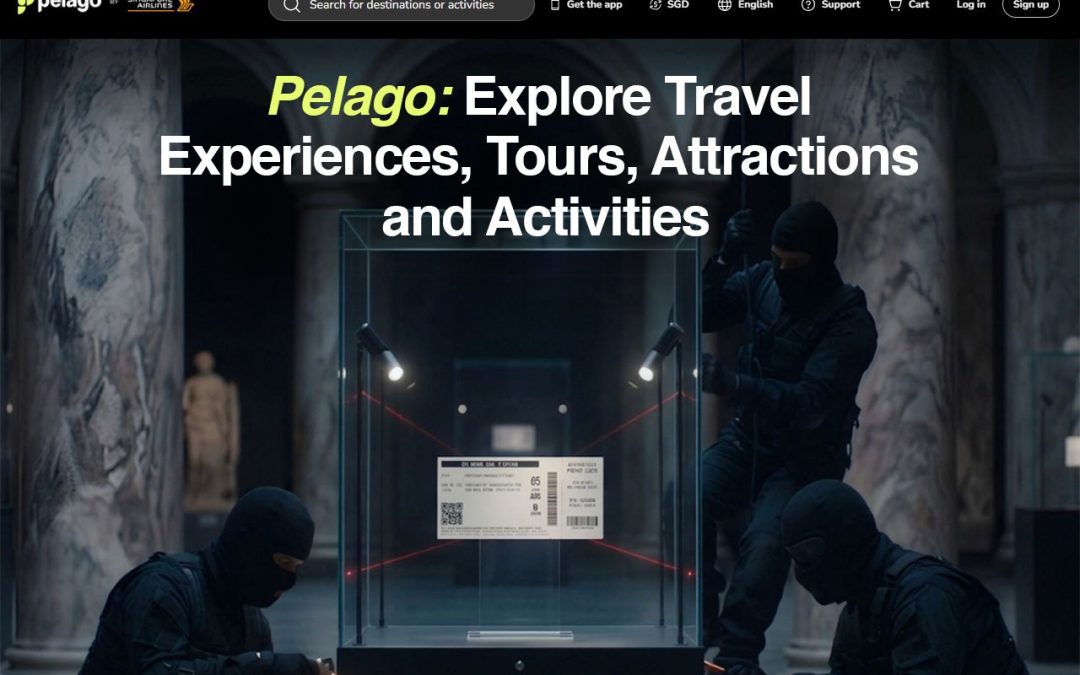
Planning a trip is the fun part, right up until you land and realise you have no idea what to do tomorrow. That’s the gap Pelago fills. It’s an online platform where you can book tours, theme parks, cruises, transport and travel essentials in one place, and it’s connected to Singapore Airlines. If you’ve ever lost an evening to twenty browser tabs, you’ll see the appeal. In this guide, I’ll walk through how the Pelago travel platform works, what you can book and how to get decent value out of it.
What Is Pelago and How Does It Work?
The platform was built by Singapore Airlines Group to help travellers find things to do once flights and hotels are sorted. The airline link is a big part of its identity, and the Pelago Singapore Airlines connection shows up most clearly in the loyalty perks, which I’ll cover below.
The idea is simple. You search by destination or activity, compare what’s on offer, read reviews and pay online. As a Pelago travel platform, it covers big cities and smaller spots across the world, so there’s usually something for whatever kind of trip you’re planning. Many people start their Pelago travel planning by looking at a city and seeing what’s popular, then narrowing it down by budget and interests.
What Can You Book Through Pelago?
You can book a surprisingly wide mix of things. Here’s how it breaks down.
Attraction Tickets and Theme Parks
Pelago attraction tickets cover popular sights, theme parks, museums and sightseeing experiences. Booking online means you can sort your entry before you leave home and skip some of the ticket-counter queue. Check each listing for how tickets are delivered and whether you need to choose a time slot.
Guided Tours and Local Experiences
Pelago tours include city sightseeing, cultural and heritage experiences and food tours. A good guide can show you things you’d walk straight past on your own, like the noodle stall locals queue for. If you like understanding the place you’re visiting, this is where I’d start looking.
Adventure and Outdoor Activities
Into water sports, nature walks or hands-on classes? Pelago activities range from outdoor adventures to recreational classes. They’re handy when you want a break from sightseeing, or when you’d like to learn something new while you’re away.
Cruises and Wellness Experiences
Cruise bookings, spa sessions and other relaxing options are in the mix too. After a few days of rushing around, a spa afternoon can be exactly what a trip needs. The range of Pelago experiences means you can balance busy days with slow ones.
Travel Essentials and Transportation
Beyond the fun stuff, you’ll find airport transfers, eSIM and SIM options, rail passes and ferries. What’s available depends on where you’re going, so check the listing for your route. Sorting a transfer and a data connection ahead of time takes a lot of stress out of arrival day.
Popular Destinations to Explore Through Pelago
Pelago destinations include Singapore, Tokyo, Bangkok, Hong Kong, Kuala Lumpur, Queenstown and Osaka. Each suits a different kind of traveller:
- Singapore: An easy start for attractions, food and family days out.
- Tokyo and Osaka: Good for theme parks, food tours and cultural experiences.
- Bangkok and Hong Kong: Great for city sightseeing, markets and street food.
- Kuala Lumpur: A nice pick for a short city break.
- Queenstown: The go-to for outdoor adventure.
Whichever you choose, look at the Pelago destinations that match your dates and interests, then see what’s currently listed.
Why Do Travellers Choose Pelago?
A few things come up again and again:
- Variety: A big spread of Pelago experiences in one place, so you don’t need five different sites.
- Convenience: You can search, compare and book online without much fuss.
- Reviews: Verified customer reviews help you judge an experience before you pay.
- Payments: Secure payment options make checkout less of a worry.
- Rewards: KrisFlyer rewards and benefits for eligible members.
How to Book Activities Through Pelago
Pelago online booking is pretty simple. Here’s the usual flow:
- Visit the official platform or app.
- Search by destination or activity.
- Compare the available experiences.
- Check prices, inclusions and cancellation conditions.
- Pay, then review your booking confirmation.
Step four is the one people skip. Take a minute to read what’s included and what happens if your plans change. It can save you from a nasty surprise later.
Tips for Getting Better Value on Pelago
Booking is easy. Getting good value takes a little thought.
- Compare prices: Similar experiences can cost quite different amounts, so look at a few before you commit.
- Watch for offers: Promotions come and go, so check before you pay.
- Check the app: Some deals may be app-exclusive.
- Look at loyalty benefits: See whether any Pelago Singapore Airlines perks apply to you, especially if you’re a KrisFlyer member.
- Book early: For busy attractions, make your Pelago booking well ahead, because popular dates and time slots can sell out.
Final Thoughts
Travel planning gets easier when the tickets, tours, transfers and downtime are all sorted in one place. Whether you’re heading off on Pelago travel to a busy city or a quiet adventure spot, it helps to have your plans organised before you fly. Browse what’s on offer for your destination, compare prices, and read the cancellation terms before you pay. A little prep means you get to enjoy the trip instead of scrambling through it.
FAQs
- What is Pelago and what services does it offer?
Pelago is an online travel experience booking platform associated with Singapore Airlines. It allows travellers to discover and book attraction tickets, guided tours, theme parks, cruises, outdoor activities, airport transfers, and other travel experiences.
- How does Pelago work for booking travel experiences?
Travellers can visit the Pelago website or app, search for a destination, browse available activities, compare prices, and select their preferred experience. After completing payment, they receive booking confirmation and relevant ticket or voucher details.
- Which destinations can travellers explore through Pelago?
Pelago offers travel experiences across multiple international destinations, including Singapore, Tokyo, Bangkok, Hong Kong, Kuala Lumpur, Osaka, and other popular tourist locations. Available activities vary by destination.
- Can you earn KrisFlyer miles when booking through Pelago?
Yes, eligible bookings may allow KrisFlyer members to earn miles through Pelago. The number of miles, qualifying activities, and promotional conditions depend on the current offer and applicable terms.
- Is Pelago a reliable platform for booking tours and attraction tickets?
Pelago is an established travel experience booking platform associated with Singapore Airlines. Travellers can explore different activities, review experience details, and check customer feedback before booking. Always review cancellation policies, ticket conditions, and provider information before making a payment.
by pankaj | Nov 3, 2026 | Blog, Latest Post
Shopping for a new laptop or gaming PC can get overwhelming fast, because there’s just so much to pick from. That’s a big reason people keep coming back to Lenovo products. There’s something for students, office workers, gamers, creators, and pretty much everyone else. Whether you’re replacing an old machine or setting up a new desk, this guide walks you through the range, and you can browse everything on the Lenovo India official site as you read.
About Lenovo, a Global Tech Brand
Lenovo is a global tech company that makes personal computers, smart devices and business solutions. It has earned its name through solid design, steady performance and a habit of trying new things. People buy from it for movies and homework, for demanding office work and for gaming. The range now includes AI-powered computers, monitors, accessories, and enterprise solutions too.
Explore Popular Lenovo Products
One of the biggest advantages of the brand is its diverse product collection. Let’s look at some of its popular categories.
- Lenovo Laptops for Work, Study and Everyday Use
Laptops are what the brand is best known for. IdeaPad is a good starting point for browsing, studying, streaming, and office apps. ThinkPad is the one business users tend to go for, with a professional look and features built around getting work done. Yoga gives you flexible, convertible designs, and ThinkBook suits modern workplaces. Screen size, processor, memory, and storage all vary, so compare a few models. You can sort Lenovo laptops by budget and use right on the India site.
- Lenovo Gaming Laptops and PCs
Gamers should look at Legion and LOQ. Both are built around gaming performance, dedicated graphics, high-refresh-rate screens, and good cooling. Legion is the performance-first pick, while LOQ is for people who want proper gaming hardware without paying for a premium setup. They can also handle video editing and graphic design, depending on the specs. When you compare Lenovo gaming laptops, check the graphics card and cooling first.
- Lenovo Tablets for Entertainment and Productivity
Tablets are handy for reading, watching videos, joining online meetings, and learning. Depending on the model, you might get a sharp display, long battery life, expandable storage, or stylus support. Lenovo tablets make a nice middle ground between a phone and a full laptop.
- Lenovo Desktop Computers and Monitors
Not everyone needs something portable. Desktops still make sense for home offices and dedicated workspaces. The brand offers all-in-one computers and workstations, plus monitors for office work, entertainment, and gaming. Lenovo desktop computers are a good fit if you like big screens, multiple displays, and a proper setup that stays put.
- Lenovo Accessories and Computer Peripherals
The right extras make any setup nicer to use. The range includes keyboards, mice, headphones, webcams, laptop bags, chargers, and docking stations. Lenovo accessories can help you tidy up your workspace and sort out connectivity.
What Makes Lenovo Products Popular?
A few things keep buyers interested:
- Wide selection: There are options for students, professionals, gamers, and businesses.
- Different performance levels: You can compare entry-level, mid-range, and premium configurations.
- Business-focused devices: ThinkPad and ThinkBook offer productivity-minded choices.
- Gaming technology: Legion and LOQ give gamers dedicated options.
- New technology: The company keeps developing AI-enabled computing and smart devices.
Put it all together, and it’s easy to see why shoppers weigh Lenovo products against other brands.
How to Choose the Right Lenovo Laptop
It gets much easier once you know what you need:
- Students: Look for something lightweight with reliable battery life and enough memory.
- Professionals: Think about a comfortable keyboard, security features, and multitasking power.
- Gamers: Put dedicated graphics, cooling and refresh rate first.
- Content creators: Check the processor, RAM, graphics and colour accuracy.
- Everyday users: Go for a balanced setup that handles browsing, entertainment and regular tasks.
Before you buy any of the Lenovo products on your shortlist, compare specs instead of going by looks or model name. The Lenovo India website lets you check them side by side.
Why Explore the Lenovo Official Website?
The official site is a good place to start. You can browse categories, compare specifications, check configurations, and see current offers. It also has warranty details and technical support. Head to the Lenovo official website to see the full range of Lenovo products in one place.
Final Thoughts
From everyday laptops and business machines to gaming rigs, tablets and add-ons, Lenovo products cover a lot of ground. The right pick comes down to your budget, the features you care about, and how you’ll use the device. Take your time, compare specs and look at a few options before you buy.
FAQs
- What products does Lenovo offer?
Lenovo offers a wide range of technology products, including laptops, desktop computers, gaming PCs, tablets, monitors, workstations, and computer accessories. Its products are designed for students, professionals, gamers, and businesses.
- Which Lenovo laptop series is best for everyday use?
The Lenovo IdeaPad series is a popular choice for everyday computing, studying, browsing, and entertainment. Buyers looking for business features can explore ThinkPad, while Yoga offers flexible laptop designs.
- What is the difference between Lenovo ThinkPad and IdeaPad laptops?
ThinkPad laptops are designed primarily for business and professional users, with a focus on productivity, security, and durability. IdeaPad laptops are generally aimed at everyday users who need devices for studying, entertainment, and regular computing.
- Are Lenovo Legion laptops good for gaming?
Yes, Lenovo Legion laptops are designed for gaming and demanding workloads. Depending on the configuration, they offer dedicated graphics cards, powerful processors, high-refresh-rate displays, and advanced cooling systems.
- What is the Lenovo Yoga series known for?
The Lenovo Yoga series is known for its flexible laptop designs, including convertible models with touchscreen functionality. These devices are suitable for users who want portability and flexibility for work, entertainment, and creative tasks.
- Does Lenovo manufacture tablets and desktop computers?
Yes, Lenovo manufactures tablets, desktop computers, all-in-one PCs, and professional workstations. These products support different needs, including education, home entertainment, office productivity, and professional applications.
by pankaj | Nov 3, 2026 | Blog
The Singles’ Day Sale 2026 is just around the corner, and if you’ve ever stared at a cart at midnight thinking, “How is this so cheap?”, you already get the appeal. On November 11, shoppers all over the world will be hunting for markdowns on everything from phones to face serums. Here’s what’s worth knowing before you click “buy” on anything.
What Is Singles’ Day Sale?
It started in China in the 1990s, when a group of university students decided to celebrate being single. The date, 11.11, was picked because the number one looks like a person standing alone. In 2009, Alibaba turned it into an online shopping festival, and it snowballed from there. Today it’s one of the biggest shopping days anywhere on the planet, and international retailers have jumped in to get a piece of the action.
When Is Singles’ Day Sale 2026?
Circle November 11, 2026 on your calendar. It falls on a Wednesday this year. Plenty of stores roll out early access and pre-sale offers days ahead, and some keep prices low even after the big day is over. So think of the Singles’ Day Sale 2026 as a window, not a single date. The November 11 shopping sale really does reward the people who plan early instead of scrambling at the last minute.
Best Deals to Expect During Singles’ Day Sale 2026
Going by what happened in past years, the Singles’ Day deals 2026 should be best in these categories:
- Electronics and technology: Phones, laptops, tablets, headphones, and smartwatches usually get the biggest price cuts. If you’ve been putting off a gadget upgrade, this is a good time to do it.
- Fashion and accessories: Clothes, shoes, handbags and watches get marked down a lot, mostly on the big global fashion sites.
- Beauty and personal care: Skincare, makeup, perfume and grooming products often come in bundles or buy-one-get-one deals.
- Home and kitchen: Kitchen appliances, furniture, décor and cleaning gadgets are worth a look if your place needs freshening up.
- Travel and lifestyle: Luggage, travel accessories and hotel deals can save you real money if you’ve got a trip coming up.
Best Websites to Shop During the 11.11 Sale 2026
Singles’ Day online shopping has gotten pretty easy, since so many platforms take part now. The usual names are AliExpress, Amazon, Walmart, Temu, and SHEIN. Just know that deals, participation, and international shipping change depending on your country and the retailer. So check what can actually be delivered to you before you fill your Singles’ Day Sale 2026 cart; otherwise, you’ll end up with a bunch of stuff you can’t get.
How to Save More with Singles’ Day Coupon Codes
A bit of prep helps:
- Search for active promo codes before you check out.
- Compare prices across a few stores before you commit.
- Look for cashback and extra payment offers.
- Watch for free shipping promotions.
- Grab bundle discounts and limited-time flash deals when they show up.
Do a few of these together and the Singles’ Day discounts add up even more.
Smart Shopping Tips for Singles’ Day Sale 2026
Sales are fun, but they’re designed to get you spending more than you meant to. A few things that help:
- Make a wishlist so you know what you’re actually after.
- Set a budget you can realistically stick to.
- Compare prices on different websites.
- Check customer reviews and seller ratings.
- Read the return and refund policy before you pay.
- Skip impulse buys. If it wasn’t on your list, leave it.
One thing that works for me: save your Singles’ Day coupon codes in a note on your phone so they’re ready when you check out. And stick to your list.
Singles’ Day vs Black Friday: What’s the Difference?
Singles’ Day is on November 11 and Black Friday comes later in the month, so the 11.11 sale 2026 gives you a head start on holiday savings. Singles’ Day grew out of online shopping in China, while Black Friday has deep roots in US stores. Both have big markdowns across lots of categories, but Singles’ Day discounts tend to lean toward electronics and beauty. Black Friday still reaches more Western retailers, though the Singles’ Day Sale 2026 is catching up fast.
FAQs
- When is Singles’ Day Sale 2026?
Singles’ Day Sale 2026 will take place on November 11, 2026. Many online retailers launch early discounts before the main shopping event, giving shoppers more time to find deals.
- What is Singles’ Day, and why is it celebrated on November 11?
Singles’ Day is an annual shopping event celebrated on November 11. The date, 11/11, represents single individuals. It originated in China and has grown into one of the world’s biggest online shopping events.
- Which websites offer the best Singles’ Day Sale 2026 deals?
Popular shopping platforms for Singles’ Day deals include AliExpress, Amazon, eBay, Walmart, Temu, and SHEIN. Availability, discounts, and participating sellers vary by country.
- Which international brands participate in Singles’ Day Sale 2026?
Popular international brands to watch include Samsung, Apple, Xiaomi, Lenovo, and Adidas. Actual participation and promotional offers depend on the retailer and region.
- Is Singles’ Day bigger than Black Friday?
Singles’ Day has historically generated enormous online sales, particularly in China. However, comparing it directly with Black Friday can be difficult because the events differ in participating markets, sales reporting, and shopping periods.