by pankaj | Nov 20, 2026 | Blog, Latest Post
Starting a website can feel overwhelming, but choosing a host doesn’t have to be. Bluehost is a web hosting provider that helps individuals, bloggers, and businesses build and manage websites. It brings hosting plans, WordPress solutions, domains, and website-building tools together in one place. You can browse everything on the official Bluehost website.
Bluehost Hosting Plans: What Options Are Available?
Bluehost Web Hosting covers a range of needs, from a first blog to a busy online business. Here’s the breakdown.
- Shared Hosting
Shared hosting means your site shares a server with others, which keeps costs low. It’s a great match for beginners, personal sites, and small blogs, with basic features at an affordable price.
- WordPress Hosting
Bluehost WordPress Hosting is made for WordPress sites. You get easy WordPress installation, site managemen,t and performance features, so bloggers and content creators can focus on writing instead of tech.
- VPS Hosting
A Virtual Private Server gives you dedicated resources, more flexibili,ty and room to scale. It suits growing websites that have outgrown shared hosting.
- Dedicated Hosting
This gives you a whole server, with full control, strong resources, and top performance. Businesses and high-traffic sites tend to need it.
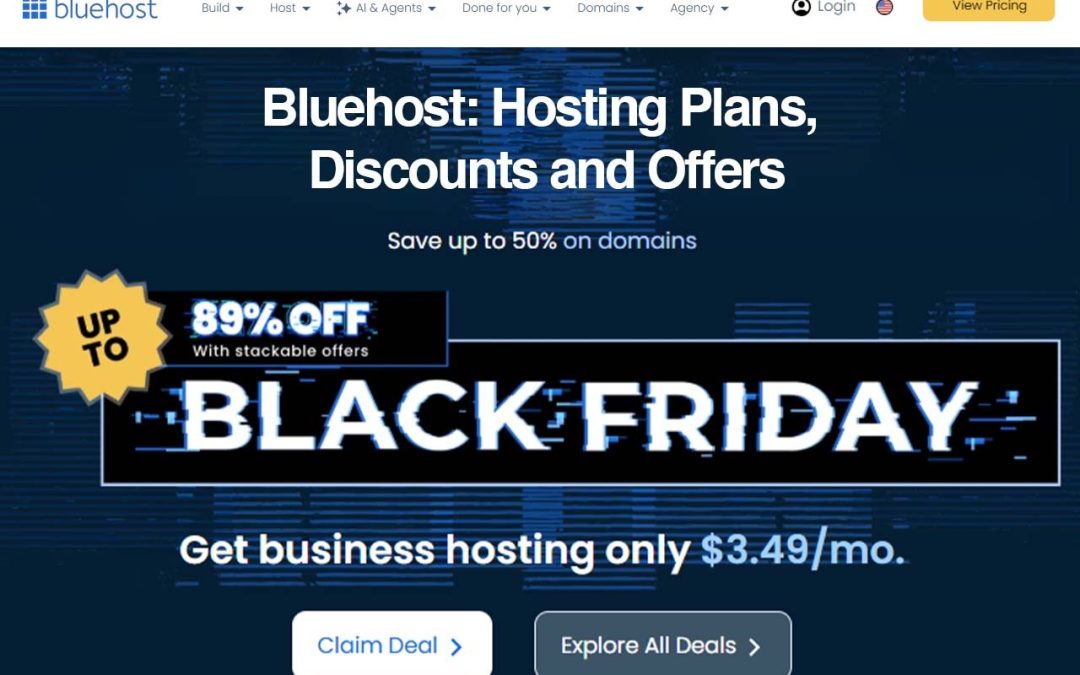
Bluehost Black Friday Deals 2026: Current Offers
The current promotion uses a Buy More, Save More structure:
- 15% off one eligible product
- 20% off two eligible products
- 25% off three or more eligible products
Eligible services include shared hosting, VPS hosting, the AI Website Builder, AI Store, and selected AI services. The offer applies to eligible new purchases for the first 12-month term, and the discount is applied automatically at checkout. It runs until 30 November 2026.
Bluehost Black Friday Deals 2026 are a good moment to launch if you’ve been putting it off. Just check the latest eligibility and terms on the official site. Bluehost Hosting Discounts like this usually apply to the first term only, so look at the renewal pricing too.
Key Features of Bluehost
Before you pick a host, it helps to know what’s actually included. Here are the main features worth checking.
- WordPress integration and compatibility: Setting up a WordPress site is quick, and the platform works smoothly with WordPress tools and themes.
- SSL certificate availability: SSL keeps your site secure and builds visitor trust. It’s also good for SEO.
- Domain registration options: You can register your domain name in the same place you host your site, which keeps things simple.
- Website management tools: An easy dashboard lets you handle files, emails and settings without technical know-how.
- Security and backup options: These help protect your site and let you restore it if something goes wrong.
- Customer support: Help is there when you get stuck, which matters a lot for beginners.
- Room to scale as your site grows: You can move to a bigger plan as your traffic increases.
Benefits of Using Bluehost
Features are one thing, but what do they mean for you? Here’s how it all adds up in real life.
- Beginner-friendly hosting solutions: You don’t need to be a developer to get a site online.
- Different hosting options for different website needs: From a small blog to a busy store, there’s a plan to match.
- Bluehost WordPress Hosting for WordPress website support: If you build on WordPress, the setup is made for it.
- Website-building tools: You can design and launch a site without touching code.
- Options for both individuals and businesses: Freelancers, bloggers and small companies can all find a fit.
- Scalable hosting as you grow: You can start small and upgrade later, instead of switching providers.
The biggest win is convenience. Hosting, domains and website tools all live in one account, so there’s less to juggle.
How to Choose the Right Hosting Plan
With so many options, picking a plan can feel confusing. Work through these steps and the right choice gets much clearer.
- Think about your website type and purpose. A personal blog, a portfolio and an online store all need different things.
- Estimate your expected traffic. More visitors means you’ll need more resources.
- Compare resources and features. Look at storage, website limits and included extras.
- Check your storage and security needs. Online stores and sites that handle customer data need extra care.
- Consider your budget and renewal costs. Introductory prices often rise after the first term, so look at the long-term cost.
- Pick a plan that supports future growth. It’s easier to pick a plan you can grow into than to migrate later.
Once you know what you need, compare Bluehost Hosting Plans side by side before you buy. Don’t overpay for resources you’ll never use, and don’t squeeze a growing site into a plan that’s too small.
How to Get Bluehost Discounts and Offers?
Nobody wants to pay full price. Follow these steps to make sure you’re getting the best deal available.
- Visit the official website. This is the safest place to see genuine offers.
- Explore the current promotions. Look for seasonal sales and bundle offers.
- Compare the available plans. The cheapest plan isn’t always the best value.
- Check for eligible Bluehost Coupon Codes and bundle discounts. Some discounts apply automatically, while others need a code.
- Review the subscription length and renewal pricing. Longer terms often lower the monthly cost, but check what you’ll pay at renewal.
- Confirm the final price before checkout. Make sure the discount is applied and there are no surprise add-ons.
Bluehost Hosting Discounts can change, so always verify the price at checkout. Offers also have eligibility rules, so read the terms carefully.
Final Thoughts
From shared to dedicated, Bluehost Web Hosting gives you plenty of choice. Beginners can start with a simple plan, while growing sites can scale up with VPS or dedicated hosting. The key is to match the plan to your needs, not just chase the lowest price. Compare features and prices, check the current discounts, and pick the solution that fits your site. When you’re ready, head to the official website to see what’s on offer today.
FAQs
What is Bluehost used for?
Hosting and managing websites, registering domains, and building sites.
What hosting plans does Bluehost offer?
Shared, WordPress, VP,S and dedicated hosting.
Is Bluehost good for beginners?
Yes, the shared and WordPress plans are beginner-friendly.
Does Bluehost offer WordPress hosting?
Yes, with installation and site management features.
What is the difference between shared hosting and VPS hosting?
Shared hosting splits one server among many sites. VPS gives you dedicated resources.
Does Bluehost offer Black Friday discounts in 2026?
Yes, the Buy More, Save More offer runs on eligible products until 30 November 2026.
How can I get Bluehost coupon codes?
Check the official promotions page. Many discounts apply automatically at checkout.
Is a free SSL certificate available?
SSL certificates are available, but check which one comes free with your plan.
Can I host multiple websites?
It depends on the plan, and higher tiers usually allow more sites.
How do I choose the right plan?
Match it to your site type, traffic, budg,et and growth plans.
by pankaj | Nov 19, 2026 | Blog, Latest Post
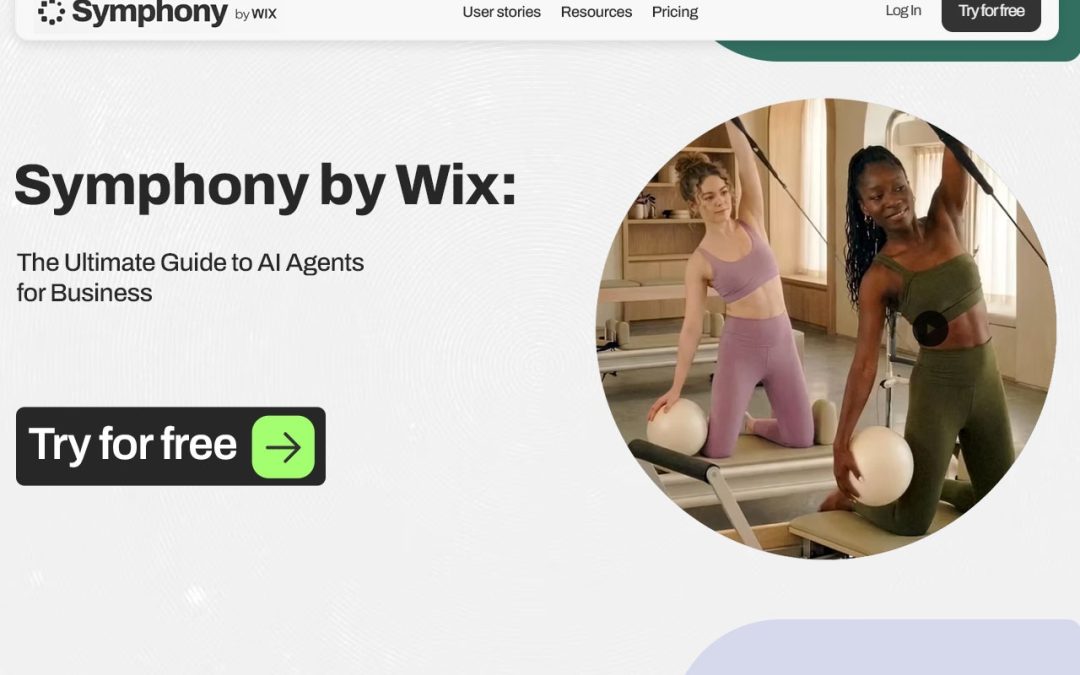
Running a business used to mean juggling emails, follow-ups, schedules, and reports all day. Now AI is taking that weight off your shoulders. AI agents for business handle tasks with very little manual effort, and Symphony by Wix is one of the clearest examples. It gives you a whole team of agents for marketing, outreach, scheduling, and more. Like the best AI-Powered Business Tools, it helps your team do more.
What Are AI Agents for Business?
Think of an AI agent as a smart digital team member. You give it an instruction; it understands what you want, makes decisions, and gets the job done. Symphony by Wix builds a team of specialist agents around your business, and they work together, which makes AI Business Management much easier. That’s what sets AI agents for business apart from older Business Automation Software, which only follows fixed rules. It also answers the common question of AI agents vs. chatbots: a chatbot mostly replies, while an agent finishes multi-step tasks.
Key Features of AI Agents for Business
Most AI Business Automation Tools share a few core strengths. Symphony by Wix covers them with six specialist agents:
- Outreach: Replies to clients, sends follow-ups, and chases invoices.
- Marketing: Plans campaigns and supports email marketing. AI Marketing Automation saves hours every week.
- Scheduling: Manages appointments and your calendar. Many owners treat these as AI Virtual Assistants that never switch off.
- Research: Handles market research and competitor analysis.
- Finance: Tracks expenses and creates simple financial summaries.
- Design: Creates content and visuals without being asked twice.
Everything is connected, so AI Workflow Automation happens across the tools you already use, not just inside one app. Together, this is solid AI business process automation.
How Do AI Agents for Business Work?
With Symphony by Wix, it’s simpler than it sounds:
- You tell Symphony about your business and connect your tools.
- Maestro, its central coordinating agent, looks at what needs attention.
- Maestro hands work to the right specialist agents.
- The agents use your connected tools to complete workflows.
- You review results and approve important actions, all from one chat.
That central coordination is what makes a modern AI agent platform feel like a real team instead of a pile of separate tools.
Benefits of Using AI Agents for Small Teams
Businesses using AI agents often see a difference within a few weeks. With Symphony by Wix, here’s what you can explore
- Less boring, repetitive work
- More free time and better productivity
- Quicker, clearer replies to your customers
- One place to manage everything
- A small team that can take on more
- A lighter workload overall
Automated Business Operations means you don’t need a big team to keep things moving. And when AI Business Management runs quietly in the background, you get time to focus on growth. You don’t even need a Wix website to start. Symphony works with the tools you already use.
Popular Business Tasks AI Agents Can Handle
Here’s where AI agents for business usually help, and which Symphony agent takes care of each job:
| Business Area |
AI Agent Tasks |
Symphony Agent |
| Marketing |
Campaign planning and content help |
Marketing |
| Customer support |
Customer questions and follow-ups |
Outreach |
| Sales |
Lead management and communication |
Outreach |
| Administration |
Scheduling and email organisation |
Scheduling |
| Finance |
Expense tracking and financial summaries |
Finance |
| Research |
Market research and competitor analysis |
Research |
How to Choose the Right AI Agents for Business
Take a little time to check before you pick one. Here’s how Symphony by Wix stacks up:
- Features: Six specialist agents, and you can create your own custom agents just by chatting.
- Pricing: There’s a free plan, and annual plans cost 20% less than monthly ones.
- Integrations: It connects with the tools you already use.
- Privacy: Agents work within approved workflows, and you approve the important actions. Still, read the privacy policy before you sign up.
- Ease of use: Works on mobile and desktop, runs through one chat, and needs no coding.
Try comparing a few AI Business Automation Tools side by side. Then choose Business Automation Software that fits what you actually need, not the one with the longest feature list. The best AI-Powered Business Tools are simply the ones your team will use every day.
Final Words
AI agents for business take the boring, repetitive work off your plate so you can focus on what matters. Symphony by Wix shows how a team of agents can work around your goals. Start with the free plan, see what fits, and grow from there with AI agents for small businesses.
FAQs
- What is Symphony AI Agents for Business by Wix?
Symphony by Wix is an AI-powered business platform that uses specialised AI agents to help businesses manage tasks, automate workflows, and improve daily operations.
- How do AI agents help businesses in 2026?
AI agents help businesses automate repetitive tasks, manage customer communication, organise marketing activities, and improve productivity.
- What are the main features of Symphony by Wix?
Its main features include AI agents, Maestro orchestration, task automation, marketing assistance, business management, and third-party integrations.
- How does Maestro AI work in Symphony by Wix?
Maestro acts as a central AI orchestrator that coordinates specialised agents, understands business instructions, and helps manage multiple tasks.
- Can AI agents automate small business operations?
Yes. AI agents can assist small businesses with scheduling, email management, customer support, marketing campaigns, and administrative workflows.

by pankaj | Nov 16, 2026 | Blog, Latest Post
Walk into almost any gamer’s room, and you’ll probably spot that green snake logo somewhere. Razer makes laptops, peripherals, software, and a long list of gaming accessories, and it sells to streamers and creators as much as to hardcore players. This review covers what the brand offers and what you can find on the Razer official website.
What Is Razer?
Razer is a gaming brand that designs its own hardware and the software that runs it. Most people know it for the Blade laptops, plus the mice, keyboards, and headsets. You can read the company’s own story on the Razer website. What I like is that you can fill a whole desk with Razer gaming gear and never mix brands, which keeps the look and the software consistent.
Popular Razer Gaming Products
Razer’s catalogue is big, so here’s a quick tour of the parts most players care about.
- Razer Gaming Laptops
The Blade line is the one Razer is famous for. These laptops are thin and solid, and they’re quick enough for current games. They also suit people who edit video, design, or just keep a dozen apps open at once. You can browse the whole range of Razer gaming laptops in the official store. Slim, premium builds usually cost more, so set a budget before you start.
- Mice and Keyboards
A Razer gaming mouse comes down to sensor accuracy, button layout, and shape. Everyone grips differently, so pick one that feels natural in your hand. A Razer gaming keyboard brings fast mechanical switches and lots of customisation. Add a mouse mat and your tracking feels smoother. For most players, these are the first gaming accessories worth buying.
- Razer Gaming Headsets and Audio
Sound wins matches more often than people admit. A good headset lets you hear footsteps, and it lets your teammates hear you clearly. Razer also sells headphones, speakers, and microphones, which helps if you stream or record. Solid gaming accessories like these make long sessions less tiring.
- Controllers and Gaming Accessories
Razer also makes controllers, laptop stands, docks, and other add-ons. Many of these Razer gaming accessories work with consoles and phones, so check compatibility before you order. A dock can also clear a lot of desk clutter.
- Razer Software and Gaming Technologies
Hardware is only half of it. Razer Synapse software lets you remap buttons, adjust settings, and save profiles for different games. Razer Chroma RGB handles the lighting, so you can sync colours across your devices and make the desk look like one set. Then there’s Razer Cortex, which tunes your PC for games and helps you find new ones. Everything is listed in the Razer software.
Why Choose Razer Gaming Products?
Here’s what stands out to me:
- The hardware is built for performance.
- The range of peripherals and gaming accessories is wide, so you can stay with one brand.
- The software gives you real control over how everything behaves.
- The designs are gaming-first and feel well-made.
- There’s something for casual players, esports fans, and streamers.
How to Choose the Right Razer Products
A few simple steps make this easier:
- Think about what you play and what you can spend. Leave some room for gaming accessories.
- Compare laptop specs, especially the processor, graphics card, and display.
- Pick a Razer gaming mouse and a Razer gaming keyboard by comfort, not looks.
- Check that a Razer gaming headset works with your PC, console, or phone.
- Compare features and warranty details before you pay.
Is Razer Worth Buying?
For a lot of players, yes. You get a wide range of laptops and Razer gaming accessories, plus software that ties it all together. If you want matching Razer gaming gear across your desk, it delivers. Competitive gamers, streamers, and creators will likely get the most out of it. Still, compare specs and prices first, and buy the gaming accessories that suit how you actually play.
FAQs
- What is Razer best known for?
Razer is best known for its gaming laptops, mice, mechanical keyboards, headsets, controllers, and other gaming accessories. The brand also offers software such as Razer Synapse and Chroma RGB for customisation.
- Are Razer gaming accessories good for competitive gaming?
Yes, many Razer gaming accessories are designed for competitive play, offering features such as responsive sensors, mechanical switches, low-latency connectivity, and customisable controls. The right choice depends on your gaming style and preferences.
- What are the most popular Razer gaming products?
Popular Razer products include Blade gaming laptops, DeathAdder and Viper gaming mice, BlackWidow keyboards, Kraken headsets, and Wolverine controllers.
- What is Razer Synapse software used for?
Razer Synapse is software that lets users customise compatible Razer devices. You can adjust mouse sensitivity, remap keyboard buttons, configure lighting effects, and save personalised profiles.
- Are Razer products worth buying?
Razer products can be worth buying if you want performance-focused gaming hardware, customisation options, and a consistent gaming setup. Compare prices, specifications, compatibility, and warranty coverage before choosing.
by pankaj | Nov 16, 2026 | Blog, Latest Post
Every year, Black Friday seems to get bigger, and people end up buying things they didn’t really need. Brands slash prices on electronics, fashion, home appliances, and beauty products, making it easy to get carried away. If you’re curious about the Black Friday deals 2026 has coming, start with the official brand websites.
That’s where the real promotions live. Black Friday online shopping is also handy because you can compare prices from your couch, no crowds needed. In this guide to the Black Friday Sale 2026, I’ll cover when it starts, where to look, and how to actually save money.
When Is Black Friday Sale 2026?
Black Friday is on Friday, 27 November 2026. But a lot of brands don’t wait. They start their promotions early and run them all the way through Cyber Monday. So the Best Black Friday offers can show up weeks before the Black Friday Sale 2026 officially kicks off. Check back every few days, because you might catch something good early.
Best Product Categories to Explore During Black Friday Sale 2026
Here’s where most Black Friday shopping deals show up.
- Electronics and Technology Deals
Smartphones, laptops, tablets, headphones, es and smartwatches are what most people come for. You can check the official Apple, Samsung,ung and Dell websites for promotions. Popular gadgets sell out fast, so work out what you want before the Black Friday Sale 2026 starts.
- Fashion, Clothing and Accessories
Clothes, shoes, bags, watches, and seasonal collections all get marked down. If you want sportswear or sneakers, try Nike and Adidas. Members often get early access, so it’s worth signing up.
- Home Appliances and Kitchen Essentials
Air fryers, coffee makers, fridges, and vacuum cleaners often get big price cuts. Philips is a good one to check for kitchen appliances, and Dyson for vacuum cleaners and home care.
- Beauty and Personal Care Products
This is a good time to stock up on skincare, makeup, grooming products, and beauty tools. Sephora and L’Oréal are worth a visit.
Best Websites to Check for Black Friday Deals
The best place to find real promotions, new launches, and seasonal Black Friday sale offers is the official brand website. Bookmark these before the Black Friday Sale 2026 begins:
Prices and promotions can differ between stores and countries. So the Black Friday deals 2026 you see might not match what a friend sees in another country. Make sure you’re on the site for your own region.
How to Find the Best Black Friday Deals
You won’t find the best price by grabbing the first one you see. Here’s what I’d do:
- Compare prices: Look at the official brand store and a few authorised retailers.
- Check the specs: A low price means nothing if the product doesn’t do what you need.
- Look for bundles: Free accessories or extras can make a deal better value.
- Read customer reviews: They tell you how the product works in real life.
- Check how the discount works: Some apply automatically, and some need a promo code.
Real Black Friday discounts are the ones on things you’d have bought anyway. Think of online shopping deals as a starting point, and compare before you pay.
Smart Shopping Tips to Save More During Black Friday
Decide what you’re doing before the sales start, because that’s when most people overspend. A few things help:
- Set a budget: Pick a number and stick to it.
- Make a wishlist: Know what you want before the Black Friday Sale 2026 begins.
- Subscribe to newsletters: Many brands send promotions and early access to subscribers.
- Compare regular and sale prices: It’s the only way to know if the discount is real.
- Check shipping, warranty, and returns: These can change the final price.
Do those things, and the Best Black Friday offers are easier to reach. You’ll also spot the genuine Black Friday shopping deals faster.
How to Shop Safely During Black Friday Sale 2026
Scammers love busy sales, so be careful:
- Buy from official websites or trusted retailers.
- Check that the website is secure before you type in payment details.
- Skip suspicious links in emails, texts, and social media posts.
- Make sure the product is genuine before you buy.
- Read the refund and cancellation policy before you pay.
Black Friday online shopping is convenient, but fake Black Friday sale offers do go around. If a price looks too good to be true, it probably is.
Final Thoughts
Black Friday is a good chance to buy things you need at a better price. Compare the official websites, read the conditions, and put the things you really want first. A few minutes of research can turn Black Friday discounts into real savings, and watching online shopping deals closely helps you spot the genuine ones. Make a plan, stay safe, and enjoy the Black Friday Sale 2026. Happy shopping.
FAQs
- When is Black Friday Sale 2026?
Black Friday Sale 2026 falls on Friday, 27 November 2026. Many brands may launch early promotions before the main sale and continue offering discounts through Cyber Monday.
- Which products have the best deals during Black Friday Sale 2026?
Electronics, smartphones, laptops, fashion, footwear, home appliances, kitchen essentials, and beauty products are popular categories to explore. Discounts and product availability vary by retailer and region.
- Which websites offer the best Black Friday deals in 2026?
You can check official websites such as Amazon, Apple, Samsung, Nike, and Adidas for Black Friday offers. Comparing prices across authorised retailers can help you find better value.
- How can I find the best Black Friday discounts in 2026?
Compare regular and sale prices, check product specifications, read customer reviews, and look for promotional codes or bundle offers. Creating a wishlist before the sale also helps you focus on products you actually need.
- How can I shop safely during Black Friday Sale 2026?
Shop through official brand websites or trusted retailers, check website security, and avoid suspicious promotional links. Always review payment options, shipping costs, warranty details, and return policies before placing an order.
by pankaj | Nov 13, 2026 | Blog, Latest Post
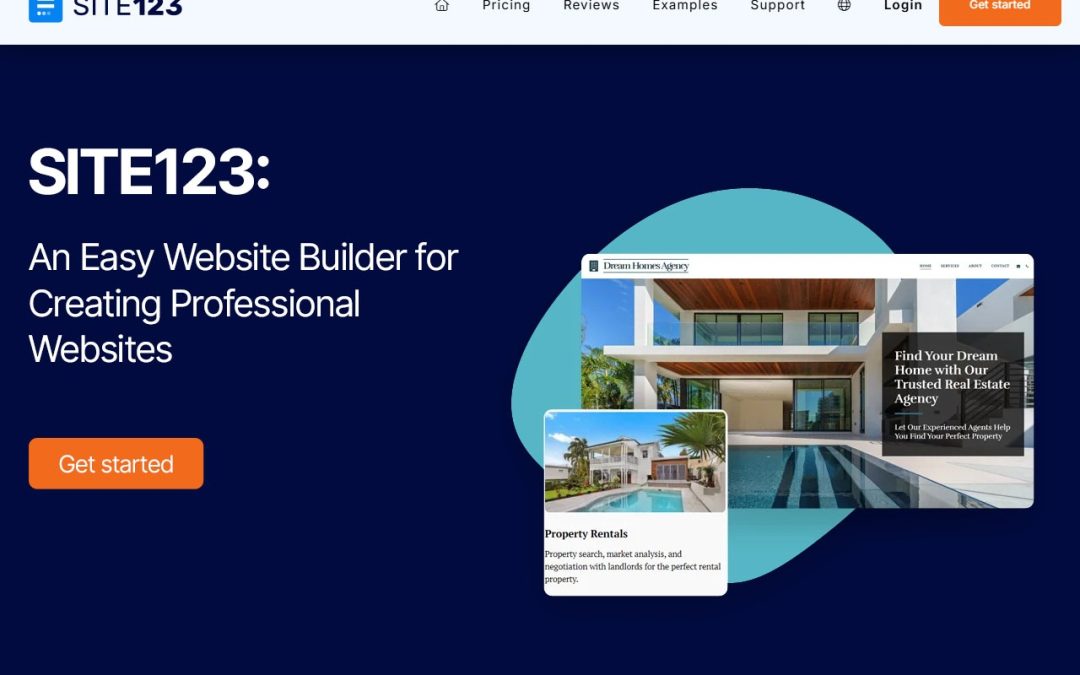
Building a website used to sound exhausting. You needed a developer, a few weeks, and a budget that never matched the first quote. That’s changed. Now you can sit down after lunch and have something live by dinner, and SITE123 is one of the tools that makes it possible. You don’t write any code. You pick a design, add your content, and publish. Hosting, blogging, and online selling are built in too.
What Is SITE123?
SITE123 is a website platform for people who’d rather not learn web design first. Bloggers use it, and so do freelancers, creators, and small business owners. The SITE123 website builder walks you through setup one step at a time, so there’s no blank page to stare at. It feels closer to filling in a form than building a website.
SITE123 Features Worth Knowing About
Here’s what you’ll actually use day to day.
- The Editor
It’s simple. Add text, images, and sections, then play with fonts, colors, and layouts until it looks right. Moving things around takes a couple of clicks, so changing your mind later isn’t a big deal.
- Templates
You don’t start from zero. The SITE123 website templates are professionally designed for different kinds of sites, like business pages and portfolios. Pick the one closest to what you picture and tweak it to match your brand.
- Mobile-Friendly Layouts
Most people will see your site on a phone first, so this one matters. The layouts are responsive and adjust to desktops, tablets, and smartphones.
- SEO Tools
A site nobody can find isn’t much use. There are optimization options and SEO settings for each page, so you can work on your search visibility while you build.
- Hosting and Domains
Hosting, SSL protection, and domain registration or connection are part of the setup. That means fewer tools to manage and fewer logins to remember.
What Can You Build With SITE123?
You’re not stuck with one type of site. You can make:
- A business website with your services, company details, and contact information
- A personal site for a portfolio or just your own corner of the internet
- A blog where you publish articles, schedule posts, and manage comments
- An online store to show products and handle sales
- A restaurant or event site with menus, reservations, and event details
SITE123 Ecommerce for Small Shops
Planning to sell something? SITE123 ecommerce covers the basics. You can add products, set up categories and variations, and keep track of inventory and orders. Payment methods, shipping, taxes, and coupons are in there too, and you can even sell digital products. For a small shop, that’s usually enough to get going.
How to Create a Website in Six Steps
It’s a pretty short process:
- Sign up for SITE123 and choose the type of website you want.
- Pick one of the SITE123 website templates that suits your goal.
- Add your text, images, and anything else you need.
- Adjust the colors, fonts, and layout.
- Check your settings, including SEO details and your domain.
- Preview the site and publish when you’re happy with it.
Why People Like SITE123
The biggest reason is that you don’t need any coding knowledge. Beyond that, templates, management tools, mobile-ready designs, blogging, ecommerce, SEO, and hosting all sit in one place, so you’re not stitching together five different services. Most SITE123 features are there to save you time, and the SITE123 website builder keeps it all together. That helps a lot if this is your first website.
SITE123 Pricing: Check Before You Commit
Spend a few minutes with SITE123 pricing before you pick a plan. Plans differ in what they include, so decide what you need first. Do you want e-commerce and payment options? How much customization matters to you? What are the domain and hosting conditions on your plan? Answer those now, and you’ll avoid surprises later.
Final Thoughts
Building a website doesn’t have to be complicated. SITE123 gives you templates, hosting, SEO options, blogging, and ecommerce in one place. If you’re ready to get online, give SITE123 a try, browse a few templates, and see how much you can get done in an afternoon.
FAQs
- What is SITE123 used for?
SITE123 is a website-building platform that allows users to create websites, online stores, blogs, portfolios, and business pages without needing advanced coding skills.
- Is SITE123 suitable for beginners?
Yes, SITE123 is beginner-friendly. Its guided website editor, ready-made layouts, and simple customization tools make it easier to build a website without technical experience.
- Can I create an online store with SITE123?
Yes, SITE123 offers e-commerce features that let users create an online store, add products, manage orders, and accept payments. Available features may depend on the selected plan.
- Does SITE123 offer website templates?
Yes, SITE123 provides ready-made website templates for different purposes, including business websites, blogs, portfolios, and online stores. Users can customize layouts and content to match their needs.
- Does SITE123 provide SEO tools?
Yes, SITE123 includes SEO tools that help users edit page titles, meta descriptions, URLs, and other search-related settings to improve their website’s visibility.
by pankaj | Nov 12, 2026 | Blog, Latest Post
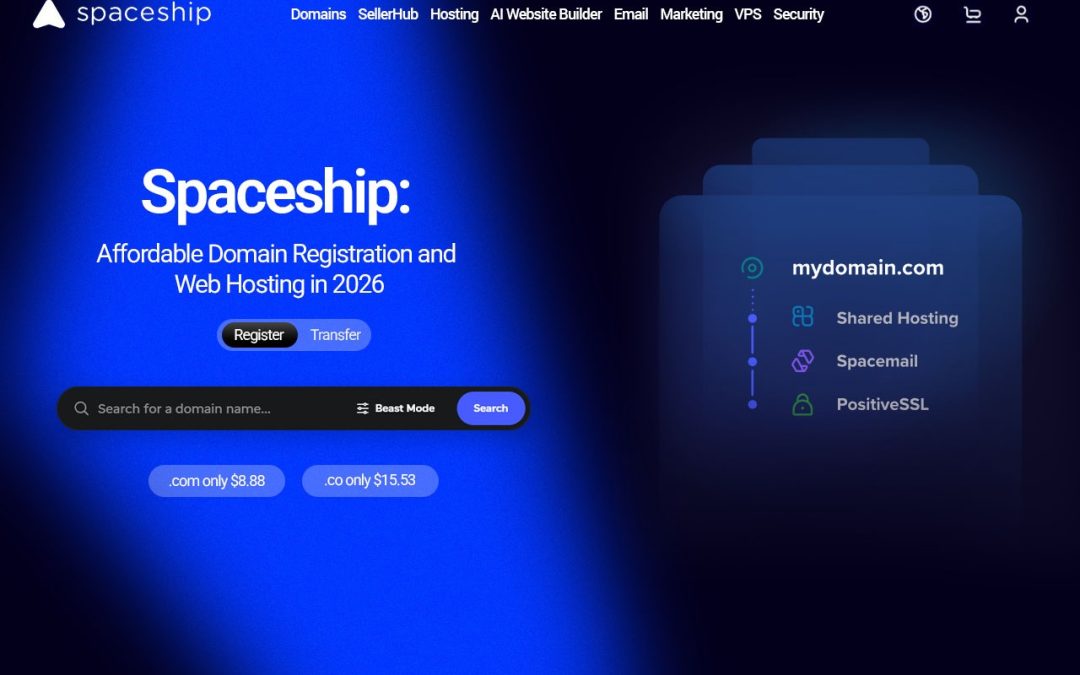
Starting a website sounds exciting until you see how many pieces you need. A domain, hosting, an email address, something to tie it all together. Before you know it, you’ve got five tabs open, a pile of jargon and a mild headache. That’s the gap Spaceship fills. It’s a website launch platform that keeps your domain, hosting and email in one place, so you can spend less time setting things up and more time actually building your site.
What Is Spaceship?
It’s an online platform for domains, hosting, email and the other tools you need to run a website. Think of it as a one-stop shop. Whether you’re launching a blog, a company site or a side project, you pick only what you need and skip the rest.
There’s also a feature called Unbox that helps you connect and manage your products, which comes in handy if you’d rather not track everything separately. And as a domain name provider, it covers the basics most people start with.
Why Choose Spaceship as Your Domain Name Provider?
Your domain is your address online. It’s how people find you, so it deserves some thought. Spaceship domain registration lets you search for names, compare extensions like .com and pick whatever suits your brand. A short, memorable name goes a long way. Plenty of people also shop around for affordable domain names before they commit, and comparing prices really does pay off.
Domain Management Tools
Once you own a name, you’ll want control over it. You can manage DNS records and nameservers and open your settings from your account. Privacy options are available where offered. Good domain management tools save you from digging through confusing menus later.
How to Register a Domain Name on Spaceship
It’s quick, and you don’t need to be techy. Here’s how Spaceship domain registration works in practice:
- Go to the official website.
- Type the name you want into the search box.
- See which extensions are available.
- Check the registration and renewal prices.
- Check out and add your details.
- Manage your DNS settings from your account.
Look at renewal prices early. Some domains cost more in year two, and nobody likes that surprise. Once you register a domain name, you can connect it to your hosting and start building.
How Spaceship Helps You Launch a Website
Getting a website online takes a few steps, but the right services make it feel a lot less like a chore. Spaceship gives you a handful of products to build your online presence, and you can pick the ones that fit your project.
Here’s how it can help:
- Domain connection: Link the domain you registered to your hosting.
- Hosting setup: Choose a hosting solution that suits your website.
- Website creation: Build your site on a supported platform like WordPress.
- Professional email: Set up an email address on your own domain through Spacemail.
- SSL security: Look at the SSL certificate options available to help keep connections to your site secure.
- Product management: Use Unbox to connect and manage your services in one spot.
As your project grows, having all of this organised in one place saves you a lot of juggling.
Why Choose Spaceship for Your Online Business?
Picking a domain and hosting provider is a big decision for any online project. Spaceship is worth a look if you’d like several website services under one roof instead of scattered across different platforms.
Here’s why people consider it:
- Domain flexibility: Try different domain names and extensions until one feels right.
- Hosting choices: Find hosting that matches what your site needs.
- WordPress support: Pick from hosting options made for WordPress websites.
- Business email: Create professional email addresses using your own domain.
- Website management: Handle your domains and connected products from one place.
- Flexible services: Add more products as your needs change.
Before you decide, compare the plans, renewal prices, features, and support options. It only takes a few minutes, and it can save you money down the line.
Final Thoughts
Launching a site takes more than a good idea. You need a name, somewhere to host it, and a way to stay in touch with customers. As a website launch platform, Spaceship puts those pieces together, and it’s worth a look for bloggers, freelancers, and small businesses. Compare plans, renewals, and support, and you’ll find affordable domain names and a setup that suits you. Ready to start? Pick a name and get your site live.
FAQs
- What is Spaceship used for?
Spaceship is an online platform offering domain registration, web hosting, professional emai,l and other services for building and managing websites.
- Can I register a domain through Spaceship?
Yes. You can search for available domain names, explore different extensions and register a suitable domain through its website.
- Does Spaceship offer web hosting?
Yes. Spaceship offers different hosting solutions for users who want to launch personal websites, blogs and business projects.
- Does Spaceship provide WordPress hosting?
Yes. It offers WordPress hosting options for users who want to create and manage websites using WordPress.
- Can I create a business email with Spaceship?
Yes. Through Spacemail, users can explore professional email services using their own domain names.