
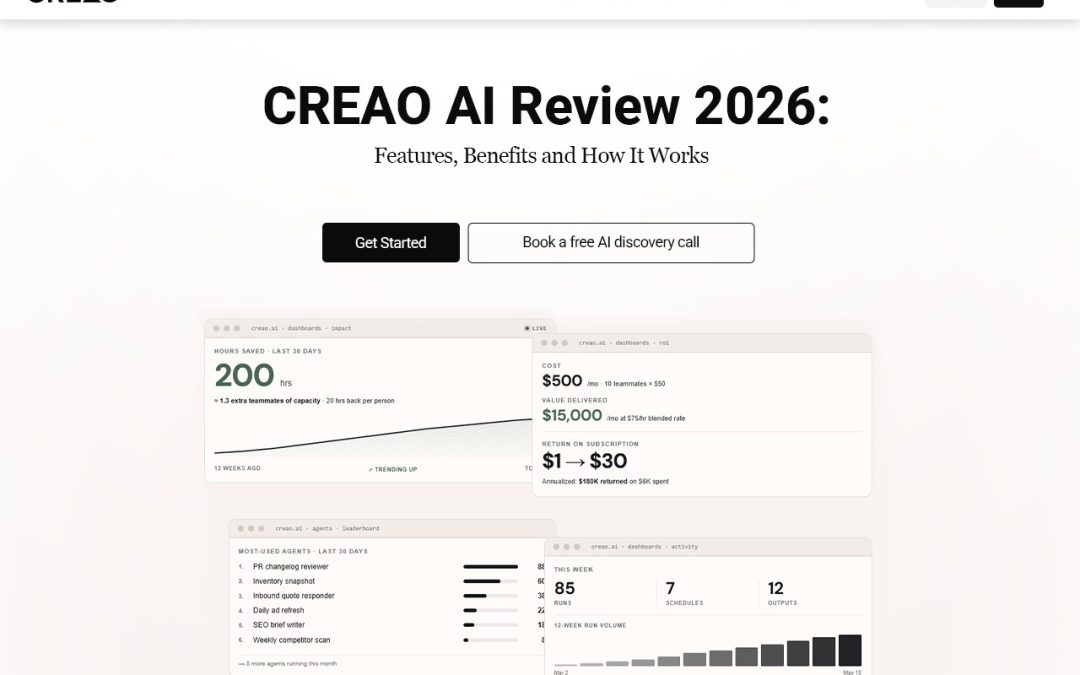
If you’ve ever lost half a morning to the same copy-and-paste chores, you already know why AI is moving into everyday business. The big shift isn’t chatbots that answer questions. It’s agents that do the work while you get on with your day. So CREAO AI is the idea of a platform to build and run agents for your repetitive workflows. It connects to your tools, runs on a schedule, and remembers the way you like things done. Let’s break down how it works.
What Is CREAO AI?
It’s a platform for AI business automation without the coding. You describe a task in plain language, and you set up an agent to handle it. So how is that different from a regular chatbot? A chatbot waits for your question, answers once, and moves on. An agent can run on its own, repeat a task every day or week, and work inside your connected apps.
It’s the difference between asking someone for advice and handing them a job. It suits marketers, agencies, freelancers, sales teams, and small businesses- basically anyone buried in tasks that keep coming back around.
Key Features of CREAO AI
Here are the CREAO AI features that matter most for day-to-day work. You can see the full list on the official features page.
- AI Agent Builder
You can create custom agents for specific jobs, like writing SEO briefs, replying to quote requests, or putting together reports. CREAO AI agents are built around your tasks, not the other way around.
- Workflow Automation and Scheduled Tasks
Agents can run daily, weekly, or whenever something specific happens. That kind of AI workflow automation takes a lot of manual repetition off your plate.
- Integrations With Business Tools
It connects with Gmail, Slack, Google Sheets, Notion, and Google Calendar. Agents can work inside the processes you already have instead of forcing you into new ones.
- Memory and Personalized Workflows
It can hold on to your preferences, past decisions, and working instructions. That means less repeating yourself and more consistent results from one task to the next.
- AI Content and Media Generation
Beyond text, it covers video generation, image creation, voice and speech, and even browser use.
How to Use CREAO AI for Business Automation
Using CREAO AI for business automation can help individuals and teams work more efficiently by simplifying repetitive tasks, connecting business tools, and freeing up time for more important work.
- Head to the CREAO website and create an account.
- Describe the task you want to automate.
- Configure the agent and connect the tools it needs.
- Set a schedule or trigger for recurring tasks.
- Review the results and adjust the approval settings as needed.
Benefits of Using CREAO AI
Using CREAO AI for business automation can help individuals and teams work more efficiently by simplifying repetitive tasks, connecting business tools, and freeing up time for more important work.
- It saves time on repetitive tasks.
- It keeps automated business workflows consistent.
- You don’t have to repeat instructions for recurring work.
- It automates across the apps you’ve connected.
- Approval controls let you keep a human in the loop for important actions.
- Individuals and small teams can handle more work in the same hours.
CREAO AI Pricing and Plans
There’s a free plan plus paid options. Credits, team size, scheduling, and upload limits can differ between plans, so compare current features and pricing before you choose one. The CREAO AI always has the latest details. With any of the AI productivity tools out there, the best plan is the one that fits your real workload.
Who Should Use CREAO AI?
- Digital marketers and SEO pros: automate a weekly keyword report.
- Agencies and freelancers: draft a client update every Friday.
- Small business owners: reply to quote requests faster.
- Sales and recruitment teams: send follow-ups and log them in Google Sheets.
- E-commerce and operations managers: summarize daily orders and flag problems in Slack.
Is CREAO AI Worth Trying in 2026?
Probably, if you’ve got repetitive work piling up. Its strengths are agents, integrations, scheduling, and memory. But the value depends on what you automate, which tools you need connected, and the usage limits on your plan.
My advice is to start small. Pick one repeatable task and turn it into one of your automated business workflows. If it saves you time, build from there. That’s the easiest way to test AI business automation without overcommitting. Ready to see CREAO AI in action?
FAQs
- What is CREAO AI used for?
It’s used to build and run agents for recurring work. CREAO AI agents can handle things like reports, replies, and scheduled tasks.
- Is it suitable for beginners?
Yes. You describe the task in plain language, so you don’t need technical skills.
- Can it automate repetitive business tasks?
Yes, and that’s the heart of its AI workflow automation.
- Does it offer a free plan?
It does, so you can test it before upgrading.
- What tools can it connect with?
Gmail, Slack, Google Sheets, Notion, and Google Calendar. Check the CREAO AI features page for the current list.