
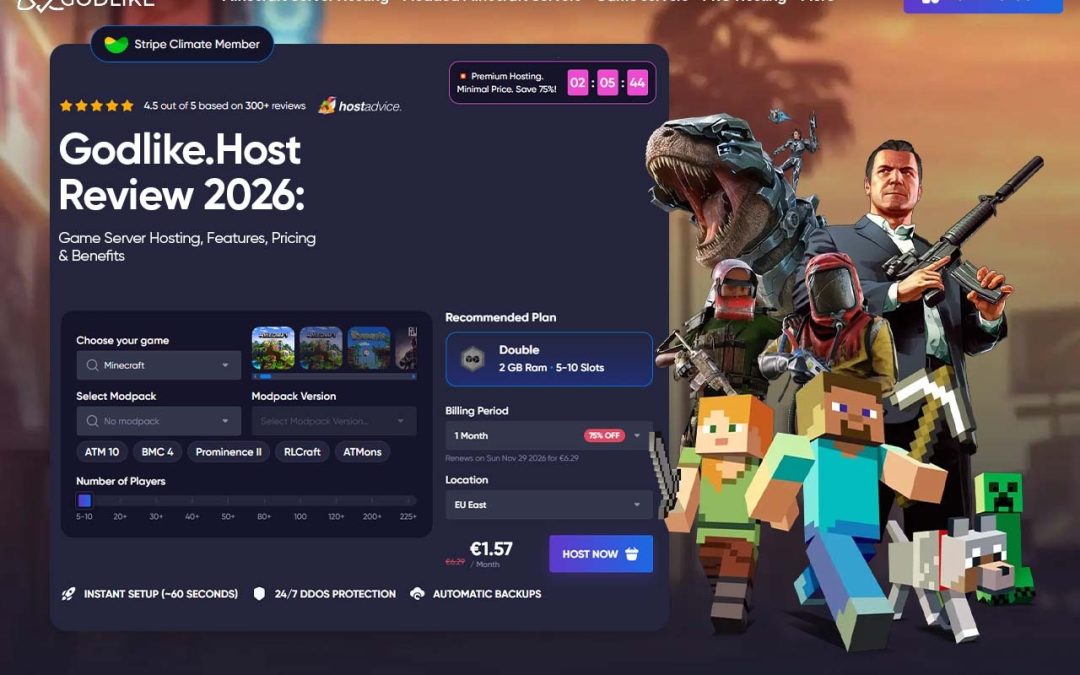
Sharing a multiplayer server might seem simple enough until your friends start lagging out, a mod breaks the world, or your entry is flooded with players. If you’re hosting a Minecraft world for a few friends or even a community of hundreds and getting bigger every day, the host you pick might be your secret weapon. So in this review, we’re taking a look at Godlike. What it is, what it does, the price, and whether we should take a look in 2026.
What Is Godlike. Host?
Godlike. Host is a hosting company, founded in 2021, that built its name on Minecraft and has since grown well beyond it. It rents out servers to gaming communities of every size, from a handful of friends to large public networks.
It supports dozens of popular multiplayer titles, including Rust, ARK, Valheim, Terraria, and Palworld. The servers run on modern AMD hardware across several global locations. You manage everything from a web control panel, so you don’t need to be a sysadmin to get started.
What Hosting Services Does Godlike. Host Offer?
The company splits its services into three main areas.
Minecraft
Minecraft Server Hosting covers both Java and Bedrock editions. You can run vanilla survival, load plugins, switch game versions, or install popular modpacks in a few clicks instead of fiddling with files by hand.
Other Multiplayer Games
If Minecraft isn’t your thing, the game server hosting range includes Rust, ARK, Valheim, Terraria, Palworld, and more. You get the same panel and the same setup process, so moving between games feels familiar.
Gaming VPS
Some projects need more freedom than a standard plan allows. Gaming VPS hosting gives you full root access and complete control over your setup. It suits custom game configurations, unusual mod stacks, and community projects that need extra flexibility.
Key Features of Godlike.Host
Here’s what stands out when you look under the hood.
- High-performance hardware. The servers run on Ryzen 9 processors with NVMe SSD storage. In plain terms, that means smoother gameplay, faster world loading, and less stuttering when many players are online.
- DDoS protection. Malicious traffic is one of the most common problems for public servers. Built-in protection helps keep your server online when someone tries to knock it down.
- Automatic backups. Everyone has lost a world to a bad plugin or a corrupted file. Automatic backups and easy restores mean you can roll back instead of starting over.
- Easy control panel. You can manage settings, mods, and plugins from one dashboard. Installing supported modpacks takes fewer manual steps, which is a relief if you’re new to this.
- 24/7 support. If something breaks at midnight, there’s a team to ask. Users in public reviews often mention quick, clear replies, which matters when your friends are waiting to play.
Why Choose Godlike? Host for Minecraft?
Minecraft is where this provider shines. Here’s why many players end up staying.
- Simple setup. You can go from signing up to playing in a few minutes, with no technical background needed.
- Great for mods. With modded Minecraft server hosting, popular packs are ready to install, so you spend less time troubleshooting and more time playing.
- Room to grow. There are plans for small friend groups and for larger communities, and you can scale resources up as your player count increases.
- Global locations. Choosing a location close to your players keeps latency low and connections stable.
- Discord tools. Management features help you run your community without juggling too many apps.
Overall, the pitch for Minecraft Server Hosting here is simple: start small, then upgrade without migrating your world.
Godlike.Host Pricing and Hosting Plans
Pricing depends on the game and the resources you pick. Minecraft Java plans have been listed from roughly $6 to $7 per month for a 2 GB RAM tier, depending on the source and any current promotion. Larger tiers cost more as RAM and player slots increase. Modded plans generally follow the same RAM-based pricing as standard ones, so you aren’t paying extra just to run mods. VPS and dedicated options are priced separately and cost more.
Before you buy, compare RAM, storage, and slot counts against what your server actually needs. A heavy modpack like All the Mods needs far more memory than a small vanilla world, and picking too little RAM is the most common mistake new owners make. Prices and promotions change often, so check the official website for current numbers.
How to Set Up a Game Server With Godlike.Host
Getting online is quick. Here’s the basic process.
Step 1: Choose your game. Pick Minecraft or any other supported multiplayer title.
Step 2: Select a plan. Match the plan to your expected player count and the mods you plan to use. If you’re unsure, start with a mid-range option and upgrade later.
Step 3: Configure your server. Set the game version, add mods or plugins, and adjust your preferences in the control panel.
Step 4: Launch and invite. Start the server, share the address, and bring your friends or community in. If you outgrow a standard plan down the road, moving to gaming VPS hosting is a natural next step.
Is Godlike.Host Worth Considering in 2026?
For most players, yes. It offers a wide range of games, modern hardware, DDoS protection, backups, and responsive support, all behind a panel that beginners can handle. Experienced admins get extra room to grow, thanks to VPS and dedicated options.
It isn’t always the cheapest choice, so if you only want the lowest possible price, compare a few providers. But if you care about performance, security, and an easy setup, it’s a strong contender. Write down your player count, your mod list, and your budget, then see which plan fits.
FAQs
- What is Godlike.Host?
Godlike. Host is a game server hosting provider that offers hosting solutions for Minecraft, Rust, ARK, Valheim, Terraria, Palworld, and other multiplayer games.
- Is Godlike. Host good for Minecraft server hosting?
Yes, Godlike. The host offers Minecraft Java and Bedrock server hosting, with mod and plugin support, multiple game versions, and server customization.
- Which games can you host with Godlike. Host?
You can host several multiplayer games, including Minecraft, Rust, ARK, Valheim, Terraria, and Palworld, depending on the available hosting options.
- How much does Godlike. Host cost?
Pricing depends on the game, RAM allocation, and hosting plan. Minecraft hosting plans have been listed from approximately 6–7 per month for a 2 GB RAM tier, but current prices may vary.
- Does Godlike. Host provide DDoS protection?
Yes, Godlike. Host advertises DDoS protection to help safeguard game servers against malicious network traffic and maintain server availability.
- Can beginners use Godlike. Host?
Yes, its web-based control panel helps beginners manage server settings, install supported modpacks, configure plugins, and start multiplayer servers without extensive technical knowledge.